How to Registration for DU SOL Admission 2025-26: Complete Guide
The School of Open Learning, University of Delhi (DU SOL), has started the online admission process for UG and PG courses for the academic session 2025-26. All students must complete online registration before filling out the admission form.
In this article, you will learn step-by-step how to complete DU SOL registration, what documents you need, and important instructions to follow during the process.
Who Can Register for DU SOL Admission
Students who wish to take admission in:
- Undergraduate (UG) Courses
- Postgraduate (PG) Courses
must register on the DU SOL admission portal before submitting their final application.
Documents Required for Registration
Keep the following documents ready before you start the registration:
- Valid Email ID and Mobile Number
- Aadhaar Card / Identity Proof
- Passport-size photograph (scanned)
- Signature (scanned)
- Class 10th Marksheet / Certificate
- Class 12th Marksheet / Certificate
- Graduation Marksheet (PG applicants only)
- Caste/Category Certificate (if applicable)
- CUET-PG Scorecard (for PG courses where required)
Make sure all documents are clear and in the required file size and format.
Step-by-Step Process: DU SOL Registration
Follow these simple steps to complete your DU SOL registration:
Step 1: Visit the DU SOL Admission Portal
Go to the official online admission portal of DU SOL for the 2025-26 academic session.
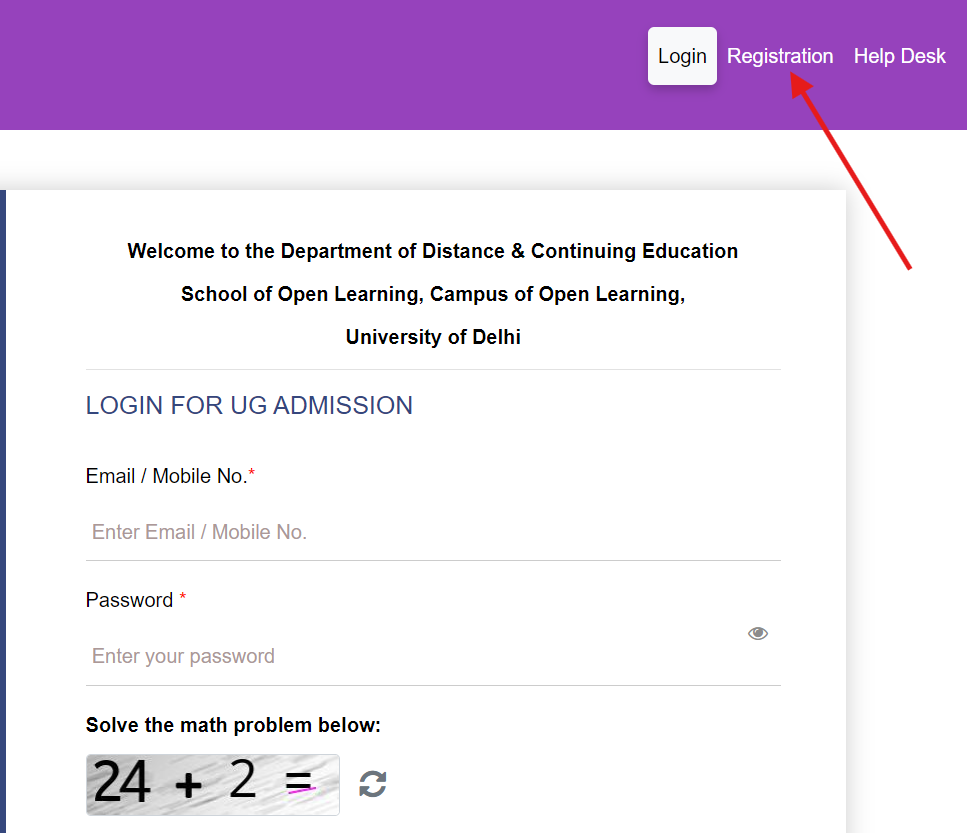
Step 2: Click on New Registration
Select the option New Registration / Sign Up to begin the process.
Step 3: Enter Basic Information
Fill in your details such as:
- Full Name
- Email ID
- Mobile Number
- Date of Birth
- Category
- Gender
Ensure all details match your certificates.
Step 4: Create a Password
Create a strong password for your student login account.
Confirm the password and move to the next step.
Step 5: Verify Email and Mobile Number
You will receive an OTP on your registered email and mobile number.
Enter the OTP to verify your account.
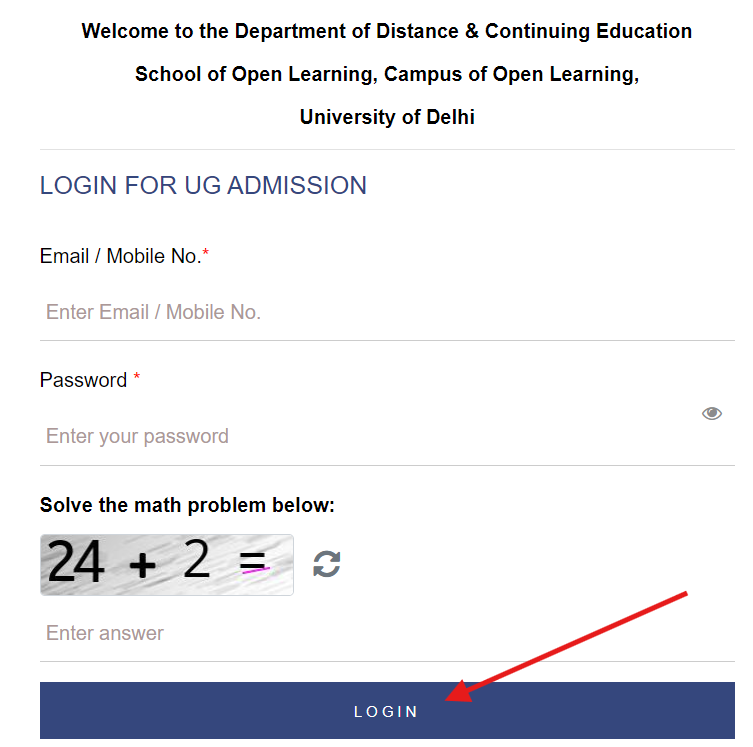
Step 6: Login to Student Dashboard
After successful verification, use your registered email and password to log in.
Step 7: Complete the Profile Section
Fill in personal and academic details as per your certificates.
Step 8: Upload Documents
Upload required scanned documents in the correct format.
Step 9: Save and Proceed
Review the information and confirm the details.
Registration is now complete.
After registration, students can proceed to fill out the Admission Form and make the payment to complete the admission process.
Important Instructions
- Use an email and phone number that you regularly check
- Enter details exactly as per official records
- Keep scanned documents ready to avoid delays
- Your registration will not be accepted without OTP verification
- Save your login details for future use
Why Registration is Important
DU SOL registration creates your student profile and allows you to:
- Fill the admission form
- Upload documents
- Pay admission fees
- Track your admission status
- Receive alerts and official updates
Without registration, you cannot continue with the admission process.
Conclusion
Registration for DU SOL Admission 2025-26 is the first and most important step before submitting your application.
Follow the steps mentioned above carefully, keep your documents ready, and complete OTP verification to avoid mistakes.
Students are also advised to regularly check their registered email, dashboard, and the official portal for admission-related notifications.