Check Here DU Sol Results, and Download Your Result
The School of Open Learning (SOL), under the University of Delhi, offers undergraduate and postgraduate courses for distance learning students. Every semester, the DU SOL results are released online for students to check their marks, grades, and overall performance.
| Field | Description |
|---|---|
| Student Name | Your registered name |
| Roll Number / Enrollment No | Unique ID for your exam |
| Course & Programme | BA, BCom, MA, etc. |
| Semester | 1st / 2nd / 3rd / etc. |
| Subject Name & Code | Each paper’s details |
| Maximum Marks | Total marks for each subject |
| Marks Obtained | Marks you scored |
| Credits / Grade Points | Based on the credit system |
| SGPA / CGPA | Semester or Cumulative GPA |
| Result Status | Pass / Fail / ER (Essential Repeat) |
| Division | First Class / Second Class, etc. |
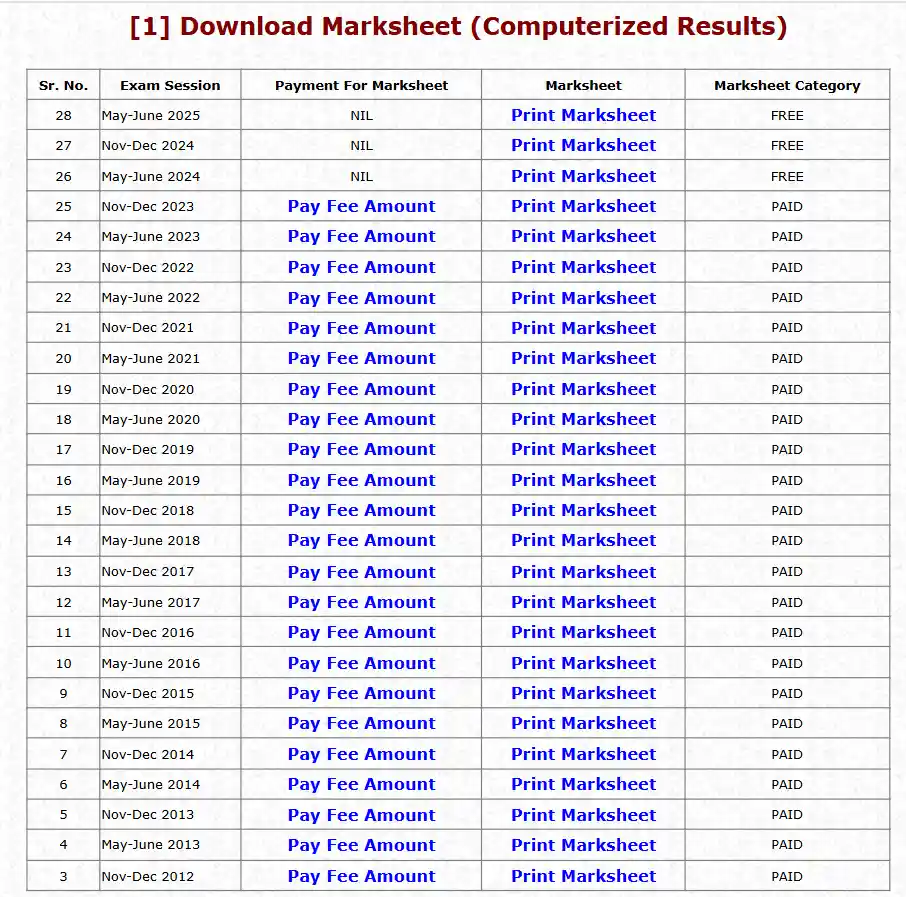
Check DU Sol Results
Follow these steps to view or download your result:
- Go to the official website — https://sol.du.ac.in
- On the homepage, click on “Results” or “Marksheet / Score Card” link.
- Select your course, year, and semester.
- Enter your Roll Number / Enrollment Number.
- Click on Submit / View Result.
- Your marksheet will appear on the screen — you can download or print it for reference.
Note: If you see “No Record Found” or any error, it might mean your result is not yet uploaded or the portal is under maintenance
⚠️ Common Issues Faced by Students
Follow these steps to view or download your result:
- No Record Found – The portal sometimes shows this error when the result hasn’t been uploaded yet.
- Wrong Marks / Missing Subject – Occasionally, marks might be missing or wrongly entered due to a technical glitch.
- Delayed Result Declaration – Sometimes the evaluation process takes longer than expected.
- Grade Confusion – Students often find it confusing to calculate SGPA/CGPA from grade points.
- Revaluation Delays – The rechecking process can take several weeks.
Always download and save a PDF copy of your marksheet.
- For any discrepancy, contact the DU SOL Examination Branch immediately.
- Keep checking the official notification section for result updates.
- Avoid third-party result websites — always rely on sol.du.ac.in or exam.du.ac.in.